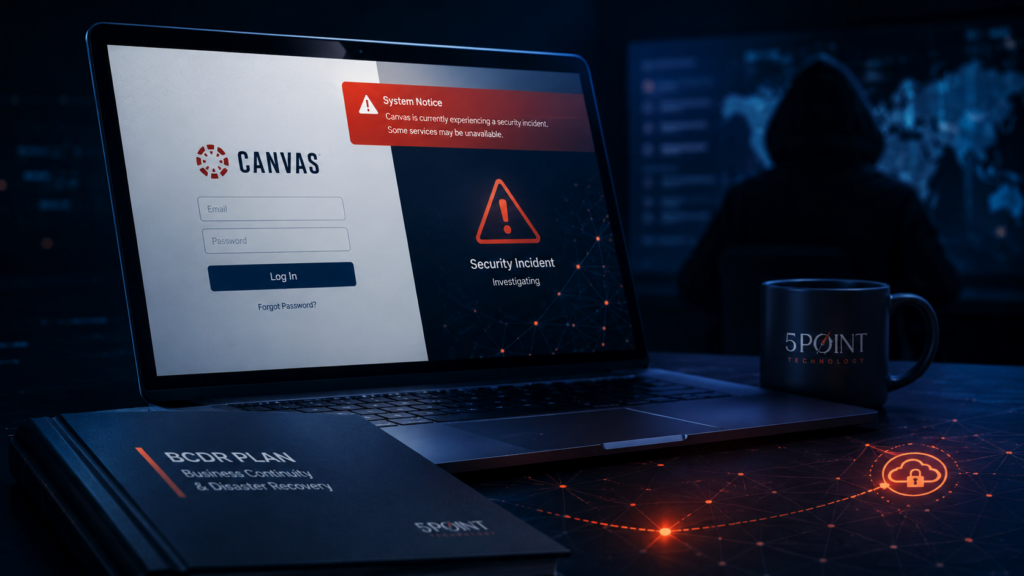
The Canvas security incident gave IT leaders a clean, uncomfortable reminder: your disaster recovery plan can look solid and still miss the way your business actually works now.
Most mid-market DR plans were built around infrastructure the company owned: servers, storage, firewalls, backups, and a few core applications. That is no longer the whole operating model. Today, the business depends on Microsoft 365, Salesforce, NetSuite, EHR platforms, ticketing systems, identity providers, cloud storage, and dozens of SaaS tools your team does not control.
Direct answer: business continuity disaster recovery for mid-market companies now has to cover SaaS vendor failure, identity compromise, backup isolation, system-specific RTOs, communication plans, and tabletop exercises. A backup restore test alone is not enough.
The companies most exposed to a Canvas-style problem are not always running outdated infrastructure. Many are running modern, SaaS-heavy environments with a DR plan that still assumes the disaster happens inside their own walls.
If your DR plan only covers systems you own, it does not cover the business you run.
What the Canvas incident exposed
Reuters reported that Instructure, the company behind Canvas, apologized after a hack involving stolen student data and disruption for schools using the platform. Reuters also reported that the incident involved unauthorized access through a vulnerability related to Free-for-Teacher support tickets and affected nearly 9,000 schools.
The Verge reported that Instructure said it reached an agreement with the unauthorized actor to prevent stolen data from being leaked, while noting that the company did not explicitly say it paid a ransom. That distinction matters. Do not write this as a confirmed ransom payment unless legal approves that language.
The lesson for non-education companies is simple: a SaaS vendor became the incident, and thousands of downstream organizations had to wait for the vendor to contain, communicate, and restore confidence.
That is the modern BCDR problem. Your plan might be excellent for a server failure and thin for a vendor failure. It might cover Veeam restores but not Microsoft 365 outage workflows. It might document file server RTOs but not your CRM, ERP, EHR, identity provider, or ticketing system.
Your DR plan cannot stop at backups
Backups matter. They are just not the whole plan.
A backup answers one question: can we recover data? BCDR answers a wider set of questions: what has to recover first, who makes decisions, how long each system can be down, what manual process keeps the business moving, who talks to customers, what the cyber carrier needs, and what happens when the failed system belongs to a vendor.
That is where many mid-market companies get caught. They have backup jobs. They may even have successful restore tests. But the recovery plan often assumes a clean infrastructure incident, not a messy business incident involving SaaS, identity, data exposure, insurance, legal, and executive pressure at the same time.
A file restore is not a tabletop. A tabletop is not a full DR test. A full DR test is not complete unless it includes the business processes that depend on the system being recovered.
The five-question BCDR review every IT leader should run this quarter
Use this as the first-pass filter. If your team can answer all five cleanly, you are ahead of many mid-market organizations. If two or more are fuzzy, the plan needs work.
1. When was the last full DR test, not just a backup restore?
A backup restore test confirms data exists. A DR test confirms people, process, systems, credentials, dependencies, and communication paths work together under pressure. Restoring one file from backup does not tell you whether payroll, production, phones, email, CRM, or identity can recover in the order the business needs.
2. Do you have RTOs documented per system?
One recovery time objective for everything is not a plan. It is a guess. Your identity provider, ERP, EHR, CRM, file shares, phone system, and customer-facing platforms do not carry the same operational weight. Rank them. Put time limits on them. Make leadership agree before the incident.
3. What is your written playbook if a SaaS vendor becomes the incident?
This is the Canvas question. What happens if Microsoft 365, Salesforce, NetSuite, your EHR, your LMS, or your ticketing platform is unavailable or publicly breached? Who owns decisions? What do employees do for 4 hours, 24 hours, and 7 days? What do you tell customers? The first time you write that plan should not be during the outage.
4. Are backups isolated from the same identity blast radius as production?
Modern attackers target recovery paths because backups are the difference between a painful incident and a business-ending one. If backup administration depends on the same compromised identity path as production, recovery may fail when it matters most.
5. When did leadership last sit through a tabletop exercise?
The CEO, CFO, COO, legal, HR, communications, and IT do not need to learn their roles during the incident. A tabletop forces the right conversations early: customer notification, cyber insurance requirements, legal escalation, manual workarounds, vendor communications, and decision authority.
Cyber insurance makes this more urgent
Cyber insurance renewals are getting more operational. Underwriters increasingly want evidence that controls exist and that recovery plans have been tested. Saying “we have backups” is not the same as showing restore evidence, tabletop notes, RTOs, incident response roles, and backup isolation.
BlackFog reported that only one in nine ransomware attacks were publicly disclosed in Q1 2026 and that data exfiltration remained at 96 percent. That matters because the incident is not only about restoring systems. It is also about knowing whether data left the business, who needs to be notified, and what the carrier expects next.
For a 100 to 500 employee company, the problem is usually not lack of effort. It is lack of capacity. The internal team is already handling tickets, projects, audits, onboarding, renewals, security alerts, and executive requests. BCDR review keeps getting pushed until a vendor incident forces the issue.
What a useful BCDR review produces
A useful BCDR review should produce more than a checked box. It should give leadership a plain-English view of what would happen if the top five systems failed tomorrow.
- A ranked list of business-critical systems
- System-specific RTOs and RPOs
- Backup restore evidence and gaps
- SaaS vendor recovery playbooks
- Identity and backup isolation review
- Tabletop exercise recommendations
- A short list of fixes for the next 30 to 90 days
The point is not to create a 70-page document that dies in SharePoint. The point is to build a plan your team can actually use at 2 a.m. when the phones start lighting up.
Where 5 Point fits
5 Point helps mid-market teams pressure-test BCDR plans without forcing a tool-first conversation. We are vendor-agnostic, so we can work with the backup, security, cloud, and identity stack you already have. If the stack is good, we will say so. If the plan does not match the business risk, we will say that too.
A 45-minute BCDR review call is enough to identify the obvious weak points: missing SaaS recovery playbooks, outdated RTOs, backup identity risk, no leadership tabletop, or no current evidence for insurance renewal.
If your DR plan has not been tested against SaaS failure, identity compromise, and ransomware recovery in the last 12 months, it is worth reviewing before the next vendor incident makes the decision for you.
Book a BCDR Review with 5 Point Technology
What is a BCDR review?
A BCDR review is a structured assessment of whether your business can keep operating during and after a disruptive event. It covers critical systems, recovery time objectives, recovery point objectives, backup evidence, SaaS vendor dependencies, communications, tabletop exercises, and incident response roles.
How often should a mid-market company test its DR plan?
A mid-market company should run at least one full DR test each year and use smaller tabletop exercises quarterly for leadership and IT. Regulated environments, cyber insurance requirements, and major system changes may require more frequent testing.
What is the difference between backup testing and DR testing?
Backup testing proves data can be restored. DR testing proves the business can recover a critical process. A real DR test includes systems, people, credentials, dependencies, communications, RTOs, RPOs, and business workarounds.
Why does SaaS vendor risk belong in a DR plan?
SaaS vendor risk belongs in a DR plan because critical business processes now run through third-party platforms. If a CRM, identity provider, file-sharing tool, EHR, ERP, or ticketing platform is unavailable, employees still need a way to work.
Does cyber insurance require DR testing?
Cyber insurance requirements vary by carrier, but underwriters often ask about backups, recovery testing, incident response planning, tabletop exercises, MFA, EDR or MDR, and evidence that controls are operational. The safer move is to prepare evidence before renewal.